
24 Hour Patch Rule: Priority Joomla Security Checklist
To stop most Joomla compromises, apply core and extension updates within 24 hours, lock down admin accounts with MFA and least-privilege, remove unused extensions, choose a host that hardens PHP and file permissions, and keep tested off-site backups using the 3-2-1 rule. Every other Joomla security tip is secondary. Start with your update settings and admin roster today.
TL;DR:
- Updating Joomla core and third-party extensions within 24 hours is critical to prevent automated scanners from exploiting known vulnerabilities.
- Locking admin accounts with multi-factor authentication and removing unused extensions significantly reduce attack surface risks.
- Configuring server settings such as PHP function restrictions, correct file permissions, and enabling a web application firewall helps harden the hosting environment.
- Maintaining off-site backups following the 3-2-1 rule and regularly testing restore procedures ensures data recovery in case of compromise.
- Automating routine maintenance and security monitoring becomes essential when managing multiple Joomla sites to minimize human error and delayed responses.
Table of Contents
- Your Joomla Security Checklist, In Priority Order
- Keep Joomla Core, Extensions, And PHP Current
- How Do You Lock Down Joomla Admin Accounts?
- Which Extensions Actually Put Your Site At Risk?
- What Hosting And Server Settings Matter Most?
- Building A Backup Strategy That Actually Survives A Breach
- HTTP Headers And .htaccess Rules Worth Enabling
- Monitoring And Incident Response: What To Have Ready
- Secure Coding Checks For Developers And Site Builders
- When Should You Automate Joomla Maintenance?
- Why Proactive Maintenance Beats Reactive Cleanup
- Get Your Joomla Site Professionally Hardened
- Where To Verify These Recommendations
- Sources
- FAQ
Your Joomla Security Checklist, In Priority Order
Attacks on Joomla sites follow a predictable pattern: outdated components, weak admin credentials, and misconfigured server files account for the majority of compromises, according to a summary of Joomla vulnerability trends. That means the fixes below aren’t equally urgent. Work through them in this order.
- Update Joomla core immediately after any security release (high urgency). Check the Joomla update system weekly; enable email alerts for security announcements.
- Update every third-party extension, not just core. Extensions cause most breaches, not Joomla itself.
- Eliminate the “admin” username. Rename or delete it; attackers script against that default.
- Enforce multi-factor authentication on every Super User account. Ten minutes in the Users menu.
- Audit user roles quarterly. Downgrade or delete accounts that no longer need backend access.
- Remove extensions you don’t actively use. Disabling isn’t enough; uninstall them.
- Confirm your host disables dangerous PHP functions and sets
open_basedircorrectly. - Set file permissions correctly: typically 644 for files, 755 for directories, never 777.
- Force HTTPS site-wide and add core HTTP security headers.
- Run automated backups to an off-site location on a 3-2-1 schedule, and test a restore.
- Turn on the Joomla User Actions Log to catch suspicious logins early.
- Write down your incident response steps before you need them, not during a breach.
Each item below gets its own walkthrough, with the “why” and the first concrete step.
Keep Joomla Core, Extensions, And PHP Current
Security researchers and vendors converge on the same number: apply patches within 24 hours of release. That guidance dates back to real-world incidents where webmasters had only hours to deploy patches before automated scanners found unpatched sites. Waiting a week is often the difference between a non-event and a full rebuild.
Staging environments matter, but don’t let “test first” become an excuse to delay security patches for days. For security releases specifically, patch production first and validate after; save full staging cycles for feature updates.
- Turn on Joomla’s built-in update notifications inside the Users and System panels.
- Use the Task Scheduler (native to Joomla 4 and 5) to automate checks and reduce manual oversight.
- Keep one recent backup before every update so rollback is a five-minute job, not a crisis.
- Track PHP version end-of-life dates separately. Hosts sometimes lag behind, and an outdated PHP version is its own vulnerability class.
If you manage more than a handful of sites, manual tracking becomes the weak link, not the software itself.
Pro Tip: Set your Task Scheduler to run update checks daily and email you a summary. Silence is only reassuring if you know the system is actually checking.
How Do You Lock Down Joomla Admin Accounts?
Give each person exactly one Super User account tied to their real name. Shared logins destroy your audit trail the moment something goes wrong, and you’ll never know who clicked what.
- Delete or downgrade any account that hasn’t logged in for 90 days.
- Never use “admin,” “administrator,” or your domain name as a username.
- Require passwords of at least 16 characters, generated and stored in a password manager rather than memorized.
- Enable multi-factor authentication for every backend account, with TOTP apps preferred over SMS.
- Restrict
/administratoraccess by IP address or additional server-level authentication where your hosting allows it.
Turning on MFA takes about ten minutes: go to Users, edit the user profile, and enable one of Joomla’s built-in MFA methods under the Multi-factor Authentication tab. Do this for every account before you do anything else on this list.
Pro Tip: If your team logs in from a fixed office or VPN, restricting backend access by IP address stops the vast majority of automated login attempts before they ever reach your password screen.
Which Extensions Actually Put Your Site At Risk?
Outdated or poorly maintained extensions are the leading cause of Joomla compromise, ahead of vulnerabilities in Joomla core itself. Every extension you install expands your attack surface, so treat installation as a decision with ongoing maintenance costs, not a one-time click.
- Choose extensions listed in the Joomla Extension Directory that support the Joomla Update System for automatic patch delivery.
- Check release history before installing; an extension untouched for two years is a liability, however good its reviews.
- Cross-reference new installs against a current Vulnerable Extensions List before deployment.
- Uninstall unused extensions completely. A disabled plugin with a known flaw is still exploitable code sitting on your server.
- Keep a simple spreadsheet of every extension, its vendor, and its last update date, so patch policy isn’t guesswork later.
Third-party plugin roundups, like this comparison of Joomla security extensions, can help you evaluate firewall and malware-scanning add-ons, but vet any recommendation against the extension’s own update history first.
What Hosting And Server Settings Matter Most?
Shared hosting can work for low-traffic sites, but it puts your security partly in the hands of whoever else shares that server. Managed hosting built for Joomla, with the host applying weekly security patches at the server level, removes an entire category of risk you’d otherwise own yourself.
Joomla’s own hosting documentation lays out the server-side controls that matter most:
- Disable dangerous PHP functions (
exec,shell_exec,system) unless a specific extension requires them. - Set
open_basedirto confine PHP to your site’s directory, per Joomla’s hosting and server setup guidance. - Turn off
expose_phpso server headers don’t announce your PHP version to attackers. - Set file permissions to 644 for files and 755 for directories; never leave anything at 777.
- Deploy a web application firewall, either
mod_securitywith the OWASP Core Rule Set at the server level, or a proxy-based WAF like Cloudflare in front of your site.
A WAF won’t stop every exploit, but it filters out the automated noise that makes up most attack traffic before it reaches Joomla at all.
Building A Backup Strategy That Actually Survives A Breach
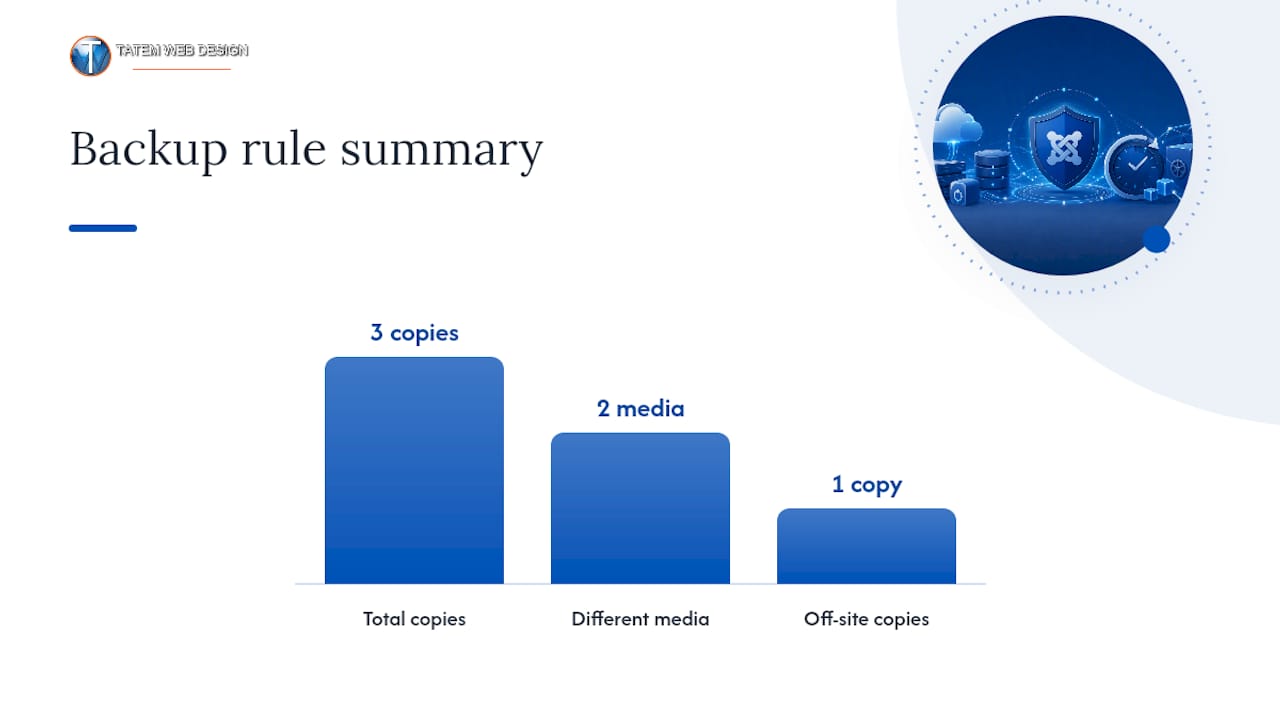
The 3-2-1 rule is simple: three copies of your data, on two different media types, with one copy off-site. For a Joomla site, that usually means your live database and files, a local backup on the server or host, and an automated copy pushed to cloud storage like Amazon S3 or Backblaze.
- Run daily backups for active sites with frequent content changes; weekly may suffice for static brochure sites.
- Store the off-site copy somewhere your hosting account credentials alone can’t delete it.
- Exclude cache and temporary files to keep backup size and restore time manageable.
- Test a full restore quarterly. A backup you’ve never restored is a guess, not a plan.
If you do get compromised, resist the urge to restore immediately. Isolate the site first, preserve logs for forensic review, then restore from a backup taken before the intrusion, and rotate every credential before bringing the site back online.
Pro Tip: A tested restore is worth more than five untested backups. Schedule the test on your calendar like any other recurring task, or it won’t happen.
HTTP Headers And .htaccess Rules Worth Enabling
Server-level headers stop a surprising amount of reconnaissance activity even when they don’t block a determined attacker outright, according to Sucuri’s Joomla hardening guide. They’re also some of the lowest-effort items on this entire list.
- Enable HTTP Strict Transport Security (HSTS) to force browsers to use HTTPS on every visit.
- Set a Content Security Policy (CSP) to restrict which scripts and resources can load.
- Add
X-Frame-Optionsto prevent your site from being embedded in a malicious iframe. - Set
X-Content-Type-Options: nosniffto stop browsers from misinterpreting file types.
Rename Joomla’s default htaccess.txt to .htaccess and add rules blocking direct PHP execution inside upload directories, a common entry point for uploaded shell scripts. Joomla also ships an HTTP headers plugin that simplifies rollout. Test CSP in report-only mode first, and start HSTS with a short max-age before committing to a long-lived or preload setting; a misconfigured CSP can silently break your site’s functionality.
Monitoring And Incident Response: What To Have Ready
You can’t respond to what you don’t see. Enable Joomla’s User Actions Log to record backend logins and content changes, and pair it with external uptime monitoring that alerts you the moment your site goes down or behaves unexpectedly.
- Review raw server logs at least weekly, watching for repeated failed logins or unusual file requests.
- Set up file-integrity monitoring to flag unexpected changes to core files.
- Watch for spikes in 404 errors, often a sign of automated vulnerability scanning against your site.
- Write your incident response plan now: isolate the site, preserve logs and evidence, restore from a clean backup, rotate credentials, then notify stakeholders.
A response plan written during a live breach is always worse than one written on a calm Tuesday afternoon.
Secure Coding Checks For Developers And Site Builders
If you build custom Joomla templates or extensions, the fundamentals haven’t changed in a decade: never trust client-side validation alone. Client-side checks improve user experience, but server-side validation is the only layer that actually protects your data, since any input can be forged or bypassed.
- Validate and sanitize every user input server-side, even fields you think are safe.
- Use Joomla’s core APIs for database queries and output escaping instead of writing custom logic that might miss an edge case.
- Guard against cross-site scripting, SQL injection, and CSRF with Joomla’s built-in tokens and parameterized queries.
- If you maintain a public extension, publish a
SECURITY.mdfile and coordinate any vulnerability disclosure through proper CVE channels, following the Joomla manual’s guidance on secure extension development.
When Should You Automate Joomla Maintenance?
Somewhere around three managed sites, manual patch tracking stops being reliable. You’ll miss a release, forget an extension, or discover a stale backup exactly when you need it most. Automation at that scale isn’t a convenience purchase, it’s risk reduction.
Tooling worth requiring at that point should include:
- Automated patch monitoring across every site in your portfolio, not just the ones you remember to check.
- Forced two-factor authentication applied consistently, rather than enabled site by site.
- Uptime and file-integrity alerts that reach you immediately, not in a weekly digest.
- Scheduled, verified backups with off-site storage built in.
A workable pattern combines Joomla’s Task Scheduler for update checks, a monitoring service for uptime and integrity, and a monthly review of vendor security advisories across every extension you run. Handled manually, that’s easily a half-day per month, per site.
Pro Tip: If you’re spending more than an hour a week checking for updates across your sites, you’ve already crossed the line where automation pays for itself.
Why Proactive Maintenance Beats Reactive Cleanup
Most Joomla security failures trace back to a handful of repeat mistakes: a shared admin login, an extension nobody remembers installing, a backup that was never tested. None of it is exotic. It’s neglect, compounding quietly until a scanner finds it.
Small businesses tend to underestimate how much time a breach actually costs, not just the cleanup, but the reputational hit and the hours spent explaining to clients what happened. If your site handles sensitive client data or you lack the internal bandwidth to check updates weekly, paying for managed maintenance isn’t overkill, it’s the cheaper option. Consider a security audit before you consider anything else.
— Matt
Get Your Joomla Site Professionally Hardened
Tatemweb is the practical alternative to piecing together Joomla security yourself across nights and weekends. Every checklist item above, patching cadence, admin hardening, extension audits, backup verification, and server-side configuration, maps directly to what our managed security work handles for Florida small businesses and nonprofits running Joomla.

The process starts with a security audit of your current install, followed by a prioritized remediation plan ranked by actual risk, not a generic template. From there, ongoing maintenance keeps core and extensions current, backups tested, and monitoring active, so you’re not the one checking logs at 11 p.m. If your organization also needs HIPAA, PII, or CMMC-adjacent compliance work layered on top, that falls under the same engagement. Call 772-224-8118 or visit our AI security enhancements page to schedule an audit and see where your site actually stands.
Where To Verify These Recommendations
- Joomla Security Checklist (official documentation)
- Hosting and Server Setup guidance
- NVD CVE-2019-10945 record
- Sucuri’s Joomla hardening guide
Sources
- Webmasters have only hours to deploy patches after Joomla incident
- Security Checklist - Hosting and Server Setup — Joomla! Documentation
- Server-side validation — Joomla Manual
- NVD — CVE-2019-10945
- Security Checklist — Joomla! Documentation
FAQ
How Often Should I Update My Joomla Site?
Apply security patches within 24 hours of release for both core Joomla and extensions, since attackers often exploit disclosed vulnerabilities within hours.
What’s The Single Biggest Joomla Security Risk?
Outdated or abandoned third-party extensions cause more compromises than vulnerabilities in Joomla core itself, making extension maintenance the highest-priority item on any Joomla security checklist.
Do I Really Need MFA On A Small Joomla Site?
Yes. Multi-factor authentication blocks the vast majority of automated credential-stuffing attempts, and it takes about ten minutes to enable per account inside Joomla’s Users panel.
How Many Backup Copies Do I Actually Need?
Follow the 3-2-1 rule: three copies of your data, on two different storage types, with one copy off-site, and test the restore quarterly to confirm it works.
Should I Handle Joomla Security Myself Or Hire Help?
If you’re managing more than a few sites or handling sensitive client data, managed services like those from Tatemweb reduce the risk of a missed patch or an untested backup turning into a full breach.
Recommended
Tatem Web Design
26+ YearsWeb Design & SEO Specialist · Tatem Web Design
Matt Tatem has been designing websites professionally since 1999, making Tatem Web Design one of Florida's longest-running web agencies. Based in Stuart, FL, he specializes in WordPress, local SEO, Shopify e-commerce, and cybersecurity consulting for small businesses.

Rank in ChatGPT in 90 Days With a Practitioner Led Checklist
Follow a practitioner led 90 day plan to get cited by ChatGPT: allow OAI-SearchBot, publish short answer capsules with schema, and track Bing AI Performance.

AI SEO Content Playbook: 16 GEO Signals for Agencies & Teams
A practical playbook mapping the GEO-16 signals to hands-on editorial workflows, review controls, and metrics. For agencies and in-house teams scaling AI...

Copy Ready Local Schema Markup for SMBs + Google Validation
Copy ready JSON-LD examples and Google validation steps for SMBs' local schema markup. Audit, implement, and verify each location page with confidence.