
Avoid Doorway Penalties: Service Area Pages SEO for Small Businesses
Service area pages work when every page carries real local proof, and they backfire when you swap city names into a template and call it strategy. If you’re weighing whether to build them, build for the cities where you already have jobs, reviews, or leads. Start with an audit of your top-performing markets before you write a single page.
TL;DR:
- Building service area pages should prioritize cities where your business already has jobs, reviews, or leads, rather than creating mass templates for all towns.
- Local proof such as job photos, testimonials, and specific operational details are essential for each page to stand out and rank effectively.
- Publishing a small batch of five to ten pages based on actual demand and proof often outperforms mass production of hundreds of generic pages.
- Use existing search and booking data to select the most promising cities and avoid thin or duplicate pages that could trigger doorway penalties.
- Ongoing collection of local assets and regular performance tracking over 60 to 120 days is crucial for long-term success.
Table of Contents
- What Is Service Area Pages SEO, and How Is It Different From Location Pages?
- Why Service Area Pages Matter for Local Visibility and Conversions
- How Do You Prioritize Cities Without Triggering Doorway Penalties?
- Page-Level Build Checklist: Local Proof, Copy, and Conversion Elements
- Technical Setup: Schema, Architecture, and Indexation
- How Do You Avoid Doorway Penalties When Scaling Service Area Pages?
- Measure and Iterate: KPIs, Tools, and Testing Cadence
- Practitioner Checklist: How an Agency Executes a Service Area Page Project
- When Does It Make Sense to Build Service Area Pages Yourself vs. Hire Help?
- How Tatemweb Builds Service Area Pages That Hold Up
- Sources
- FAQ
What Is Service Area Pages SEO, and How Is It Different From Location Pages?
A service area page (SAP) is a landing page built for a city or region your business serves without a physical storefront there. Think of an HVAC company based in Fort Pierce that also runs crews in Port St. Lucie, Jensen Beach, and Stuart. Instead of one generic “service area” list, each city gets its own page describing the work you’ve done there, the specific problems local customers face, and how to book you.
That’s fundamentally different from a location page, which documents a physical address, hours, and a “get directions” button for a brick-and-mortar site. Service area pages promote the locations a business covers rather than a fixed address, which is why plumbers, mobile detailers, landscapers, and marine repair techs rely on them so heavily. You’re not proving you have a building in Jensen Beach. You’re proving you can solve a Jensen Beach homeowner’s problem.
SAPs exist to capture a specific kind of search intent: “service + city” queries like “emergency plumber Port St. Lucie” or “dock repair Stuart FL.” These searches signal high purchase intent, and generic homepage content rarely satisfies them because Google’s ranking systems look for relevance to that exact combination.
A well-built SAP typically includes:
- A city-specific headline and intro that names the actual service area, not a placeholder
- Local proof: job photos, a testimonial, or a short case study from that town
- Details on response times, service radius, or permit requirements specific to that market
- A clear call-to-action tied to booking or getting a quote
Skip any of those and the page starts to look like a doorway, which is exactly the label you want to avoid.
Why Service Area Pages Matter for Local Visibility and Conversions
Google Business Profile ties your visibility to physical proximity and service radius settings, which means a single GBP listing can’t fully represent a business covering twelve towns. GBP lets service area businesses define coverage by radius or city list, but that setting alone doesn’t put you in front of every searcher typing a city name into Google. A dedicated page for each priority city fills that gap and gives your GBP listing somewhere specific to link.
The business case is straightforward: each SAP is a shot at ranking for a service-plus-city query you’d otherwise lose to a local competitor who bothered to build the page. That’s the entire logic behind SAPs as a category of local search visibility.
Quick fact: BrightLocal’s practitioner guidance recommends limiting your first SAP rollout to cities that already show measurable demand or conversions in your existing data, rather than building for every town in a 50-mile radius on day one.
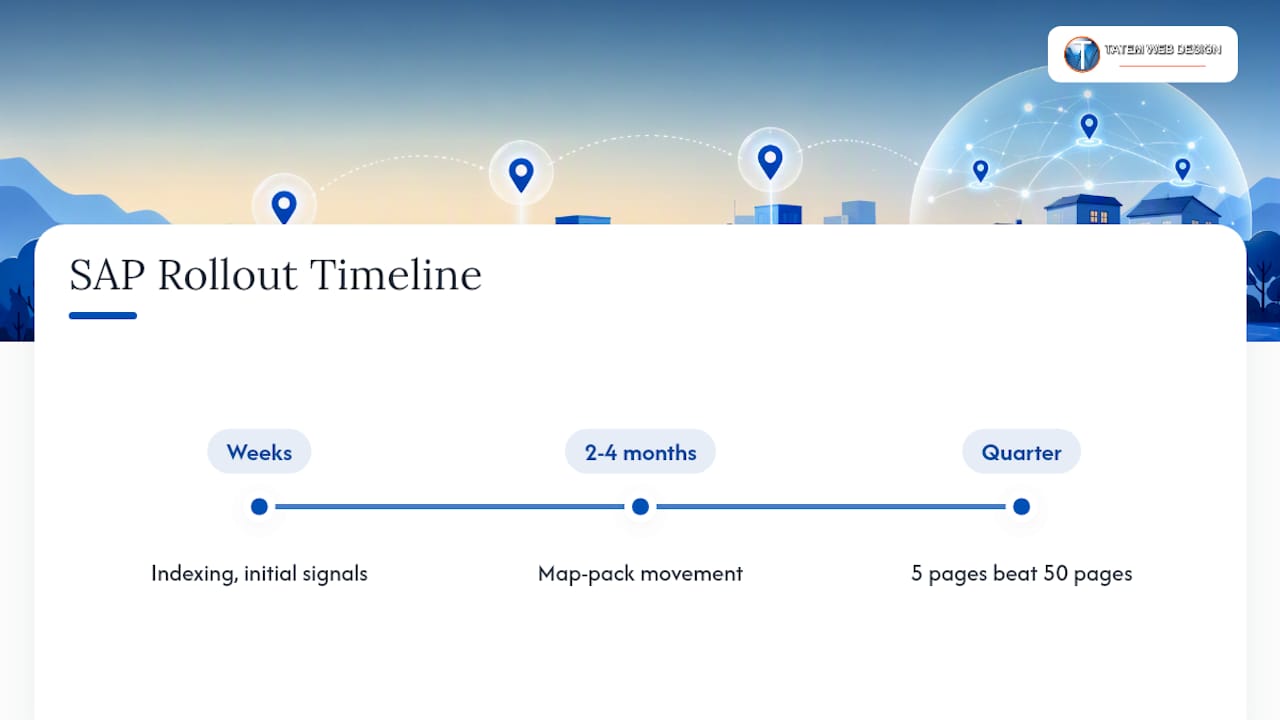
Traction isn’t instant. Expect indexing and initial ranking signals within a few weeks, but real movement in the map pack and organic results for competitive service terms usually takes two to four months, longer in saturated categories like personal injury law or HVAC repair. Businesses that publish five well-built pages in a quarter and watch the data typically outperform those that publish fifty pages overnight and never look at the results again.
How Do You Prioritize Cities Without Triggering Doorway Penalties?
Pick cities using data you already have, not a map and a guess. The most common mistake is starting with a list of every town in your service radius instead of the handful where you’ve actually generated revenue.
Here’s a practical sequence:
- Pull Google Search Console data for impressions and clicks segmented by query, looking for city names already appearing in your search terms report.
- Check Google Ads conversion data if you run paid campaigns. Cities generating booked jobs or form fills are your strongest candidates.
- Review your booking or CRM logs for where completed jobs actually happened over the last 12 to 24 months.
- Rank the shortlist by a mix of revenue potential, search demand, and whether you have local proof (photos, reviews, a completed job) to support a page.
- Publish in small batches, typically five to ten pages at a time, and hold each batch for human review before it goes live.
That review step matters more than most business owners assume. BrightLocal’s guidance on service area page SEO points to a consensus among practitioners: prioritize a moderate number of cities that already drive revenue, publish in controlled batches, and require substantial unique content per page rather than mass-producing near-identical templates.
Pro Tip: If you don’t have at least one completed job, testimonial, or photo from a city, don’t publish a page for it yet. Route that traffic to a broader “areas we serve” hub page until you have real evidence to work with.
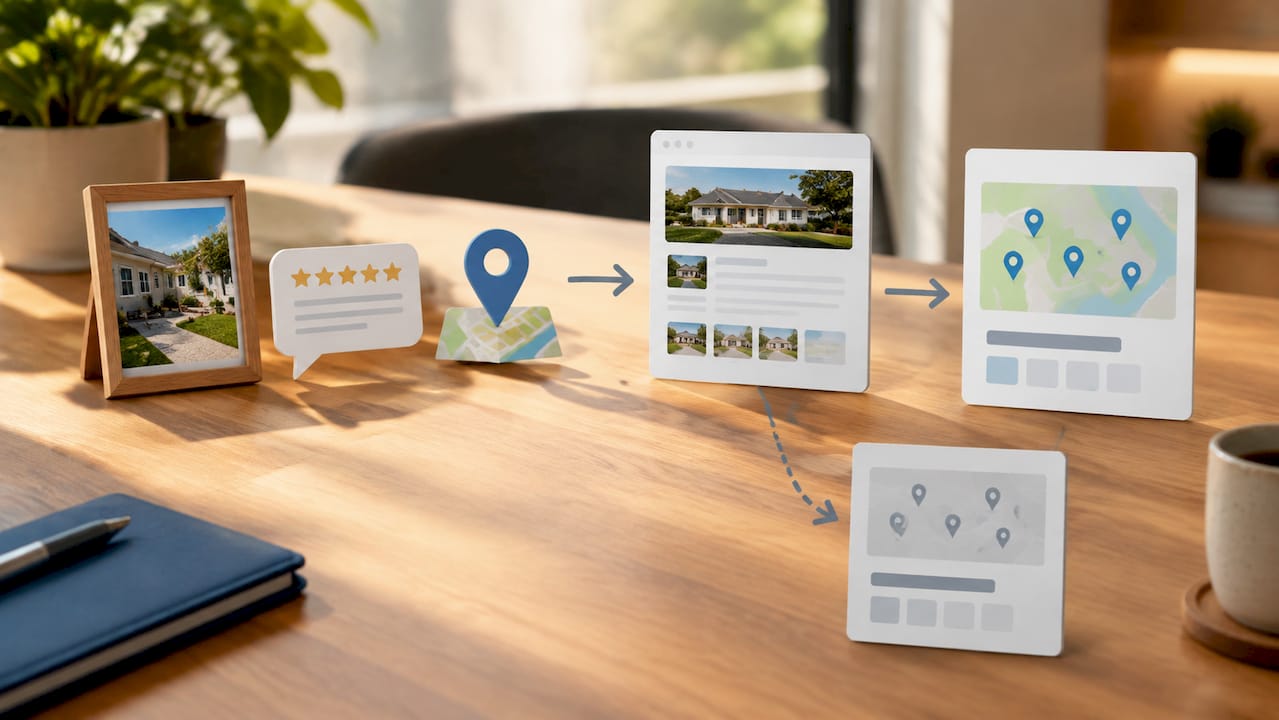
Cadence matters as much as selection. A landscaping company that builds two strong, evidence-backed pages a month for six months will usually outrank a competitor who dumped 40 city pages online in one week using the same 300 words with the city name changed each time.
Page-Level Build Checklist: Local Proof, Copy, and Conversion Elements
That means your service description, pricing structure, and general company background can share a template. Your local proof, your opening paragraph, and your closing pitch cannot.
What can be templated safely
Your service explanation (how a sewer line inspection works, what a dock repair involves) can follow a consistent structure across pages, since the underlying service doesn’t change from city to city. Your pricing disclosure, warranty language, and general company bio fall into the same bucket. Templating these sections isn’t the problem Google’s spam systems flag.
What must be unique on every page
- Job photos: three to five images from actual work completed in that specific town, ideally with a caption naming the neighborhood or street type
- City-specific testimonials: a real review or quote from a customer in that location, not a generic five-star blurb reused across pages
- Mini case studies: two or three sentences describing a specific job, the problem, and the outcome
- Operational details unique to that market: average response time to that town, local permit notes, or seasonal considerations (hurricane prep in coastal Florida towns, for example)
Practitioner data backs up the photo strategy specifically. Local job photos with city-specific captions and testimonials rank among the strongest uniqueness signals a SAP can carry, partly because photos often include metadata that reinforces the location claim, and partly because they’re nearly impossible to fake at scale.
Pro Tip: Ask your field crew to snap two or three photos on every job, then log the city and a one-line note about what they did. Six months of that habit gives you a ready-made local proof library for your next batch of pages.
Copy patterns that work
Your title tag and H1 should follow a clear, human pattern: “[Service] in [City], [State] | [Business Name]” works better than a keyword-stuffed string. A roofing company might use “Roof Repair in Vero Beach, FL | Coastal Roofing Co.” rather than “Vero Beach Roof Repair Roofing Contractor Services FL.”
CTAs should appear at least twice on the page: once near the top after the local proof section, and once at the bottom after the case study or testimonial. Vary the wording slightly, “Get a Free Quote for Your Vero Beach Roof” reads more specific and converts better than a repeated generic “Contact Us” button.
Technical Setup: Schema, Architecture, and Indexation
Structured data does real work for SAPs beyond checking a box for search engines. LocalBusiness and Service schema, layered with areaServed markup, help Google interpret which pages cover which locations, and consistent implementation across your city pages improves your odds of surfacing in AI Overviews and rich snippets. Add FAQPage and Review schema where you have genuine Q&A content or verified testimonials, but skip fabricated review markup, that’s a fast way to trigger a manual action.
JSON-LD is the preferred format for implementation since it sits cleanly in the page head without disrupting visible HTML. A JSON-LD schema generator can speed up the process if you’re building schema by hand across dozens of pages.
Site architecture should follow a hub-and-spoke model rather than a flat list of city links crammed into a footer:
| Architecture Element | Recommended Structure |
|---|---|
| Service hub page | One page per core service, linking out to relevant city pages |
| City page internal links | a handful of related services offered in that city |
| Neighboring city links | a few nearby SAPs, not a full sitewide list |
| Sitemap treatment | Include all live SAPs, exclude thin or unpublished drafts |
| Canonicalization | Each city page self-canonicalizes; never canonicalize to the hub |
A hub-and-spoke pattern reduces the doorway-link signals that come from dumping dozens of city links into a single footer block, and it gives users an actual navigation path instead of a wall of text links. Make sure your XML sitemap updates automatically as you publish new batches, and confirm each page returns a clean 200 status with no accidental noindex tags left over from staging.
How Do You Avoid Doorway Penalties When Scaling Service Area Pages?
Google’s own guidance is specific about what a doorway page looks like: multiple pages targeting similar keywords that funnel users to the same destination with little unique value added. Google’s spam policies explicitly call out near-duplicate, templated location pages as a doorway pattern that can be deindexed or demoted by helpful-content classifiers.
Run this audit sequence on your existing SAPs, or on a draft before it goes live:
- Uniqueness test: strip out the shared template sections and see how much page-specific content remains. If it’s a paragraph or less, the page needs more local proof before publishing.
- Engagement check: pull average time on page and bounce rate from GA4 for each SAP. Pages with unusually high bounce and near-zero time on page often signal thin content Google has already deprioritized.
- Conversion funnel review: check whether visitors from a given city page actually complete a form, call, or booking. A page with traffic but zero conversions over several months may need a content overhaul, not just an SEO fix.
- Link pattern detection: look for footer or sidebar blocks linking to 20+ city pages with identical anchor text. That pattern reads as manufactured to both users and classifiers.
If an audit flags a page, you have four realistic paths: merge thin pages into a broader regional hub, add genuine local proof (photos, testimonials, case studies) until it clears the uniqueness bar, restructure your linking into the hub-and-spoke model described above, or remove the page entirely if you have no evidence you’ve ever worked in that city. Removing a handful of weak pages often lifts rankings for your strong pages, since it clears out the signal noise dragging down the whole cluster.
Measure and Iterate: KPIs, Tools, and Testing Cadence
Track a small set of numbers consistently rather than drowning in vanity metrics. The KPIs that actually tell you whether a SAP is working:
- Impressions and average position for city-specific queries in Google Search Console
- Click-through rate on those queries over a rolling 90-day window
- Calls, form fills, or bookings attributed to that specific page
- Revenue generated per page, where your CRM or booking system allows that level of tracking
Combining Search Console and GA4 data with call tracking and a local rank tracker like BrightLocal or Semrush gives you the full picture, since search visibility alone doesn’t tell you whether a page converts. Give each new batch of pages 60 to 120 days before you judge performance. Local rankings move slower than you’d like, and pulling a page after three weeks because it hasn’t hit page one yet usually means killing a page that was about to turn the corner.
Practitioner Checklist: How an Agency Executes a Service Area Page Project
A disciplined SAP rollout follows a repeatable workflow: audit existing pages and search data, select priority cities using conversion evidence, gather local assets (photos, testimonials, project notes), run a human content review, then publish in small batches rather than all at once.
The artifacts worth collecting before you write a single word:
- Three to five job photos per target city, with location and date noted
- At least one testimonial or review specific to that market
- Response time or service radius notes for that area
- Any permit, licensing, or seasonal detail unique to that city
Businesses that treat this as an ongoing content operation, not a one-time build, tend to see the strongest long-term results.
When Does It Make Sense to Build Service Area Pages Yourself vs. Hire Help?
DIY works fine if you have one or two cities, decent writing skills, and the patience to gather real local proof yourself. Once you’re managing ten or more cities, or juggling multiple services across each one, the coordination of photos, schema, and review cycles usually outpaces what a solo owner can sustain without it slipping into templated shortcuts.
— Matt
How Tatemweb Builds Service Area Pages That Hold Up
Some agencies give Florida service businesses a faster path to evidence-based city pages than hiring a traditional agency or trying to manage schema, photo collection, and batch publishing entirely in-house. We combine AI website design with local SEO execution, meaning your service hub, city pages, and LocalBusiness and Service schema get built as one connected structure instead of a patchwork of disconnected landing pages.

A discovery call typically covers your current search data, which cities actually generate revenue for you, and what local proof you already have on hand, project photos, reviews, testimonials, so we know exactly which markets are ready to publish and which need evidence gathered first. Deliverables usually include a prioritized city list, a batch publishing schedule, and the schema and internal linking structure to support it. If your business also needs help with AI-driven lead capture through chatbots on those new city pages, we can fold that into the same build.
Call 772-224-8118 or visit Tatemweb to schedule a discovery call and find out which of your service cities are ready for a page today.
Sources
FAQ
What Are Service Area Pages?
Service area pages are landing pages built for specific cities or regions a business serves without a physical location there, each one containing local proof like job photos and testimonials rather than a template with the city name swapped.
Is SEO Dead or Still Evolving Heading Into 2026?
SEO isn’t dead, it’s shifting toward evidence-based, AI-aware content that satisfies helpful-content classifiers, which is exactly why templated service area pages are riskier now than they were five years ago.
How Do You Optimize Service Pages for SEO?
Optimize service pages by combining LocalBusiness and Service schema, unique local proof for each location, a clear city-specific title and H1, and internal links following a hub-and-spoke structure rather than a flat footer list.
What Is the 80/20 Rule Applied to Service Area Pages?
Applied to SAPs, the 80/20 principle suggests focusing your effort on the roughly 20% of cities already driving the majority of your conversions, rather than spreading thin content evenly across every town in your service radius.
How Many Service Area Pages Should a Small Business Start With?
Start with the cities you have real evidence for, often somewhere between five and fifteen for a small business, and expand in small batches once each page has traction and additional local proof to draw on.
Recommended
Tatem Web Design
26+ YearsWeb Design & SEO Specialist · Tatem Web Design
Matt Tatem has been designing websites professionally since 1999, making Tatem Web Design one of Florida's longest-running web agencies. Based in Stuart, FL, he specializes in WordPress, local SEO, Shopify e-commerce, and cybersecurity consulting for small businesses.

CMMC Level 2 vs Level 1: Which One Applies to You?
CMMC Level 1 vs Level 2 compared: data types, 15 vs 110 requirements, self-assessment vs third-party audits, POA&M rules and how to pick your level.

Phishing Awareness Training for Small Business: A Practical Guide
How to build phishing awareness training for a small business: what to teach, how to run simulations, which numbers to track, and what to pair it with.

AI Content Pricing: What Florida Businesses Really Pay in 2026
What AI content costs in 2026: per-post ranges, tool subscriptions, editing time and agency retainers, plus how to budget and avoid hidden costs.