
Website Hosting Explained: A Beginner’s Guide for Business
Website hosting is defined as a service that stores your website’s files on internet-connected servers, making your site visible and accessible to anyone online. Without it, your HTML code, images, and scripts sit on your personal computer, invisible to the world. Understanding what is website hosting is the first step every business owner and individual must take before building an online presence. Tatemweb has helped Florida businesses get this foundation right for over 26 years, and the difference between a well-hosted site and a poorly hosted one shows up directly in speed, security, and sales.
What is website hosting and why does it matter?
Web hosting stores all website files, including code, text, and images, on a server connected to the internet 24 hours a day, 7 days a week. That constant connection is what makes your site available to a visitor in Miami, Chicago, or anywhere else the moment they type your address into a browser. Without a hosting service, your website simply does not exist online.
The industry term for this service is “web hosting,” and you will see it used interchangeably with “website hosting” across providers like WordPress.com, Bluehost, and SiteGround. Both phrases describe the same core function. Knowing the standard term helps you compare plans and talk to providers without confusion.

Hosting matters for your business because hosting quality influences site speed, security, scalability, and ultimately brand reputation and sales. A slow or frequently offline site drives visitors away before they ever read your offer. For a Florida law firm, dental practice, or real estate agency, that lost visitor is a lost client.
Pro Tip: Before you buy a hosting plan, write down your expected monthly visitors, the type of content you will publish (text only, video, ecommerce), and whether you have technical staff. Those three answers will narrow your choice to one or two hosting types immediately.
How does web hosting work to deliver your website?
Every website is a collection of files: HTML documents, CSS stylesheets, JavaScript, images, and databases. A hosting provider stores those files on a physical or virtual server that runs continuously and connects to the internet through high-speed data center infrastructure. When a visitor types your domain name into their browser, the request travels across the internet to that server, which then sends the files back to the visitor’s screen in milliseconds.
The Domain Name System, known as DNS, is the technology that makes this connection possible. DNS must be correctly configured to point your domain name to your host’s IP address for the website to be accessible. Think of DNS as the phone book of the internet. Your domain name is the readable label, and the IP address is the actual location where your files live.
Here is the basic sequence every page load follows:
- A visitor types your domain (for example, yourbusiness.com) into their browser.
- The browser queries a DNS server to find the IP address linked to that domain.
- The DNS server returns the IP address of your hosting server.
- The browser sends a request to that server.
- The server processes the request and delivers your website files to the visitor’s screen.
Uptime is the measure of how consistently your server stays online and responsive. A reliable hosting provider guarantees at least 99% uptime as the baseline expectation for professional hosting services. Even a 1% downtime gap translates to roughly 87 hours of inaccessibility per year. For a business that books appointments or sells products online, that is a meaningful revenue loss.
Pro Tip: Always check a hosting provider’s uptime history, not just their advertised guarantee. Third-party monitoring sites publish independent uptime records for major providers, giving you real data instead of marketing claims.
What are the main types of website hosting?
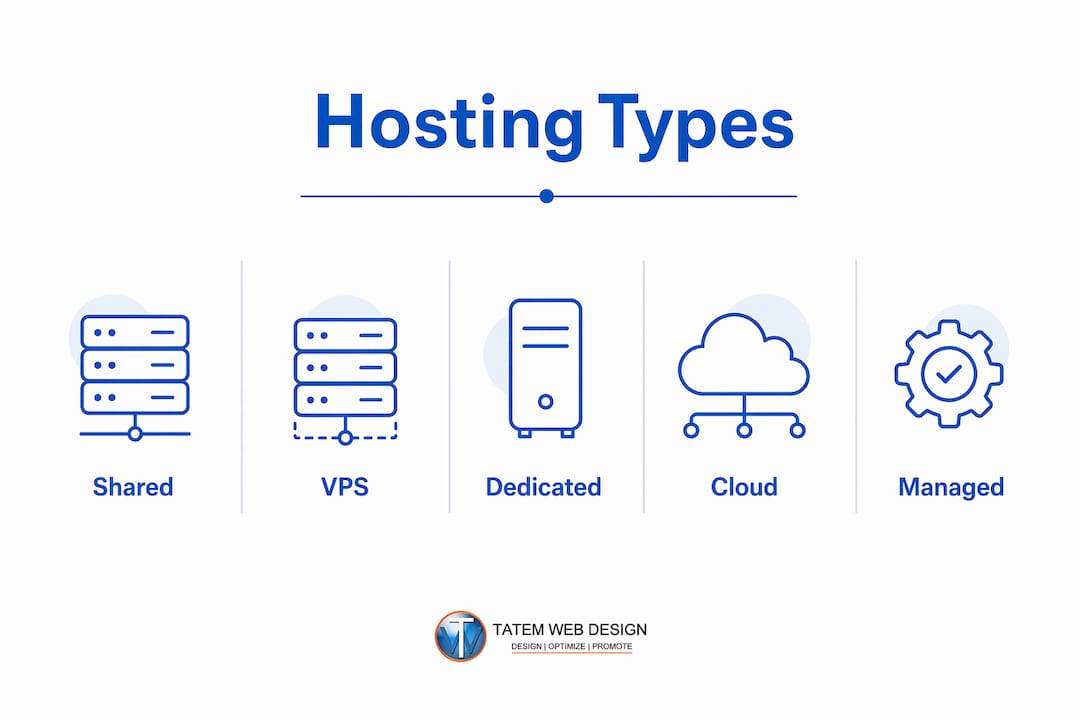
Choosing the right hosting type is one of the most consequential decisions you make for your website. Each type trades cost, performance, and control differently. Here is how the four primary options compare.
| Hosting Type | Best For | Approximate Monthly Cost | Control Level |
|---|---|---|---|
| Shared hosting | Beginners, small sites, blogs | $2–$10 | Low |
| VPS hosting | Growing businesses, developers | $20–$80 | Medium |
| Dedicated hosting | High-traffic, enterprise sites | $100–$500+ | Full |
| Cloud hosting | Variable traffic, scalability needs | Variable | Medium to high |
Shared hosting
Shared hosting is the most budget-friendly option, priced around $2 to $10 per month, while dedicated hosting can cost $100 to $500 or more. On a shared server, your website shares CPU power, memory, and bandwidth with dozens or hundreds of other sites. That shared environment keeps costs low but means a traffic spike on a neighboring site can slow yours down.
Shared hosting works well for personal blogs, small business brochure sites, and anyone launching their first website. It is the right starting point if you expect fewer than a few thousand monthly visitors and do not process sensitive transactions.
VPS hosting
A Virtual Private Server, or VPS, carves a physical server into isolated virtual environments. Your site gets a guaranteed slice of CPU and RAM that no other account can touch. VPS hosting costs roughly $20 to $80 per month and suits businesses that have outgrown shared hosting but do not need a full dedicated machine.
WordPress-based business sites, small ecommerce stores, and professional service firms with growing traffic are ideal VPS candidates. You get more control over server configuration without the full cost of a dedicated machine.
Dedicated hosting
Dedicated hosting gives you an entire physical server for your website alone. No resource sharing, no noisy neighbors, and full control over the operating system and software stack. The cost reflects that exclusivity, running from $100 to over $500 per month.
Healthcare providers, legal firms handling sensitive data, and high-traffic ecommerce operations benefit most from dedicated hosting. The performance ceiling is the highest of any single-server option.
Cloud hosting and managed vs. unmanaged plans
Cloud hosting distributes your website across a network of servers rather than one machine. If one server fails, another picks up the load automatically. This architecture delivers strong reliability and lets you scale resources up or down based on actual traffic.
Managed hosting shifts technical complexities like maintenance, security, and backups from the business owner to the provider. That distinction matters enormously for small businesses without a dedicated IT team. Mark Bryce highlights that choosing managed hosting is especially valuable because it offloads complex maintenance tasks that most business owners are not equipped to handle themselves.
Unmanaged hosting requires users to handle security patches and backups manually, increasing the risk of site hacks or failures without proper management. Alan Carr warns that unmanaged hosting introduces real security risk when the site owner does not stay current on updates. If you do not have a developer or IT staff, managed hosting is the safer and smarter choice.
Pro Tip: If you are building a WordPress site for your business, look specifically for managed WordPress hosting. Providers in this category handle core updates, daily backups, and security scanning automatically, removing the most common causes of site failure.
What are the benefits of website hosting for your business?
Professional web hosting delivers advantages that go well beyond simply keeping your site online. The right hosting plan directly affects how your business performs, how secure your data is, and how customers perceive your brand.
The core benefits include:
- 24/7 availability. Your website stays accessible around the clock, even when your office is closed. A potential client in a different time zone can find you, read your services, and contact you at 2 a.m.
- Speed and performance. Hosting servers are built for fast data delivery. A well-hosted site loads in under two seconds, which directly affects business revenue and search engine rankings.
- Security infrastructure. Quality hosting providers include firewalls, malware scanning, and SSL certificates as part of their plans. These protections are far stronger than anything a personal computer can offer.
- Scalability. As your business grows, you can upgrade your hosting plan to handle more traffic without rebuilding your site from scratch.
- Professional support. Reputable providers offer 24/7 technical support, meaning a server issue at midnight does not have to wait until morning to get resolved.
Uptime guarantees anchor all of these benefits. A host that cannot maintain 99% uptime reliability puts every other advantage at risk. Verify uptime records before committing to any provider.
Security responsibilities are shared between you and your host. Not all hosting plans include automatic backups and security; users often must maintain application-level updates and content backups themselves. Many business owners assume their host handles everything. That assumption is one of the most common causes of data loss and site compromise. Confirm exactly what your plan covers before you sign up, and build a backup schedule for anything the host does not automate.
Hosting also carries direct SEO implications. Search engines like Google factor page speed and uptime into rankings. A slow or unreliable host suppresses your visibility in search results, which means fewer visitors and fewer leads regardless of how good your content is.
How to choose the right hosting for your website
Selecting a hosting plan is not a one-size-fits-all decision. Work through these five questions before you commit to a provider.
-
What is your expected traffic volume? A new blog or small business site with under 10,000 monthly visitors fits comfortably on shared hosting. A growing ecommerce store or a site running paid advertising campaigns needs VPS or cloud hosting to handle traffic spikes without crashing.
-
What type of content will you publish? Text-heavy sites load quickly on basic plans. Sites with video, large image galleries, or product catalogs need more storage and bandwidth. Confirm that your plan’s storage and transfer limits match your content strategy.
-
Do you have technical staff? If you have a developer or IT person on your team, unmanaged hosting gives you more control at a lower cost. If you are running your business without technical support, managed hosting removes the maintenance burden and reduces your security risk significantly.
-
What is the provider’s reputation for uptime and support? Read independent reviews on platforms like G2 or Trustpilot. Look specifically for comments about support response times and how the provider handles outages. A provider with a 99.9% uptime record and responsive support is worth paying slightly more for.
-
How does the plan handle growth? Your hosting needs will change as your business grows. Choose a provider that lets you upgrade from shared to VPS to dedicated without migrating your entire site to a new platform. Providers like Tatemweb offer professional website hosting with clear upgrade paths built in, so your infrastructure grows with your business.
Understanding the domain and hosting relationship is also critical before you buy. Your domain name is your website’s address. Hosting is the physical space storing your website’s data. DNS points your domain to your host’s server IP. You can buy a domain and hosting from the same provider for simplicity, or from separate providers for flexibility. Either approach works, but you must configure DNS correctly for your site to go live.
Key takeaways
Website hosting is the foundational service that stores your files on internet-connected servers, and choosing the right type directly determines your site’s speed, security, and ability to grow.
| Point | Details |
|---|---|
| Core definition | Hosting stores website files on servers so your site is accessible online 24/7. |
| Uptime is non-negotiable | Professional providers guarantee at least 99% uptime; verify records before buying. |
| Hosting types match business size | Shared suits beginners; VPS fits growing businesses; dedicated serves high-traffic sites. |
| Managed hosting reduces risk | Managed plans handle security and backups, removing the burden from non-technical owners. |
| Hosting affects SEO and revenue | Site speed and reliability directly influence search rankings and customer conversions. |
Why I think most businesses get hosting wrong from day one
After working with hundreds of Florida businesses across real estate, healthcare, legal, and marine industries, I have seen the same mistake repeat itself constantly. Business owners treat hosting as an afterthought. They pick the cheapest shared plan, assume the host manages everything, and then call us six months later because their site is down, hacked, or loading in eight seconds.
The uncomfortable truth is that cheap hosting costs more in the long run. A $3-per-month shared plan sounds like a win until you factor in the developer hours to recover a hacked site, the lost leads during a three-day outage, and the SEO damage from months of slow load times. I have seen a Florida dental practice lose its first-page Google ranking entirely because their host had chronic performance issues. Rebuilding that ranking took nearly a year.
The other mistake I see constantly is confusing a domain name with hosting. Buying a domain does not give you a website. It gives you an address with nothing behind it. You still need a secure hosting environment where your files actually live. Getting that distinction wrong delays launches and creates DNS configuration headaches that frustrate even experienced developers.
My recommendation for most small and medium businesses is to start with managed hosting, even if it costs $20 to $30 more per month. The time you save on maintenance and the security incidents you avoid will pay for that difference many times over. As your traffic grows, upgrade to VPS or cloud hosting. Do not try to squeeze a growing business onto a plan built for a personal blog.
— Matt
How Tatemweb helps Florida businesses get hosting right
Building a website on the wrong hosting foundation wastes time and money. Tatemweb works with Florida businesses across healthcare, legal, real estate, and professional services to set up hosting that matches their actual needs, not just the cheapest available option.

From AI-built business websites to managed cloud hosting with built-in security, Tatemweb handles the technical setup so you can focus on running your business. The team configures DNS, sets up automated backups, and monitors uptime so nothing falls through the cracks. If you are ready to build or migrate your site to a hosting environment that actually performs, call Tatemweb directly at 772-224-8118 or visit tatemweb.com to schedule a consultation.
FAQ
What is website hosting in simple terms?
Website hosting is a service that stores your website’s files on a server connected to the internet, making your site accessible to visitors at any time. Without hosting, your website cannot be seen online.
What is shared hosting and who should use it?
Shared hosting places multiple websites on one server and costs roughly $2 to $10 per month. It is the right choice for beginners, personal blogs, and small business sites with modest traffic.
How does DNS connect my domain to my hosting?
DNS translates your domain name into the IP address of your hosting server, directing visitor browsers to the correct location. Incorrect DNS configuration means your domain will not load your website.
Do I need managed or unmanaged hosting?
Managed hosting is the better choice for business owners without technical staff because the provider handles security patches, backups, and updates. Unmanaged hosting gives more control but requires you to manage all maintenance yourself.
How does hosting affect my website’s SEO?
Hosting directly affects page load speed and uptime, both of which are factors Google uses in search rankings. A slow or frequently offline site ranks lower and loses organic traffic over time.
Recommended
Tatem Web Design
26+ YearsWeb Design & SEO Specialist · Tatem Web Design
Matt Tatem has been designing websites professionally since 1999, making Tatem Web Design one of Florida's longest-running web agencies. Based in Stuart, FL, he specializes in WordPress, local SEO, Shopify e-commerce, and cybersecurity consulting for small businesses.

CMMC Level 2 vs Level 1: Which One Applies to You?
CMMC Level 1 vs Level 2 compared: data types, 15 vs 110 requirements, self-assessment vs third-party audits, POA&M rules and how to pick your level.

Phishing Awareness Training for Small Business: A Practical Guide
How to build phishing awareness training for a small business: what to teach, how to run simulations, which numbers to track, and what to pair it with.

AI Content Pricing: What Florida Businesses Really Pay in 2026
What AI content costs in 2026: per-post ranges, tool subscriptions, editing time and agency retainers, plus how to budget and avoid hidden costs.