
Guide to Secure Websites for Business Owners
Website security is defined as the set of practices, tools, and configurations that protect your site from unauthorized access, data theft, and service disruption. Every business with an online presence faces real threats, from phishing attacks to ransomware, and the consequences of a breach extend well beyond a single incident. The NIST Cybersecurity Framework 2.0 gives business owners a structured starting point, and federal agencies like CISA, the FCC, and the SBA offer free resources built specifically for small and mid-sized operations. This guide to secure websites walks you through the tools, steps, and habits that keep your business protected and your customers’ trust intact.
What are the essential tools and prerequisites for securing a business website?
A secure website starts with the right foundation. Before you apply any advanced protection, you need to know what you are working with, what software runs your site, what devices connect to it, and what hosting environment supports it.
Start with a device and software audit
Many small businesses miss insecure entry points because they skip a full device audit. Every device that touches your network, including printers, point-of-sale terminals, and smart office equipment, is a potential vulnerability. List every device, confirm its firmware is current, and remove anything that no longer receives security updates. This audit takes an afternoon and closes gaps that attackers actively exploit.

Core tools every business website needs
The table below covers the foundational tools required before you move into advanced configuration.
| Tool or Prerequisite | What It Does | Why It Matters |
|---|---|---|
| SSL/TLS Certificate | Encrypts data between browser and server | Required for HTTPS; protects customer data in transit |
| Web Application Firewall | Filters malicious traffic before it reaches your site | Blocks SQL injection, cross-site scripting, and bot attacks |
| Secure Hosting Provider | Isolates your site in a hardened server environment | Reduces shared-server risk and supports compliance |
| Password Manager | Stores and generates unique credentials | Eliminates reused passwords across accounts |
| Backup Solution | Creates recoverable copies of site data | Enables recovery after ransomware or accidental deletion |
HTTPS is the baseline for any website encryption guide. It signals to browsers and search engines that your site is trustworthy, and Google actively penalizes sites that still run on plain HTTP. Without HTTPS, any data your visitors submit, including contact forms and payment fields, travels in plain text across the internet.
The FCC Small Business Cyber Planner 2.0 generates a personalized cybersecurity plan in about 30 minutes based on your business size and setup. That output gives you a prioritized checklist tailored to your specific situation, not a generic template. Running through it before you configure anything else saves time and prevents you from addressing low-priority items while critical gaps remain open.
- Firewall: Blocks unauthorized inbound and outbound traffic at the network level.
- SSL/TLS certificate: Activates HTTPS and encrypts all data in transit.
- Secure hosting: Choose a provider that offers server-level firewalls, malware scanning, and automatic backups.
- Password manager: Tools like Bitwarden or 1Password generate and store unique credentials for every account.
- Backup solution: Automated daily backups stored offsite or in the cloud protect against data loss.
Pro Tip: Before purchasing any security tool, run the FCC Small Business Cyber Planner 2.0. It identifies which tools your specific business actually needs, so you spend money where it counts.
Which steps do you need to take to build and maintain website security?
Building a secure website is not a single event. It is a sequence of deliberate actions followed by consistent maintenance. The steps below follow a logical order, from authentication to advanced headers to backup verification.
-
Enforce strong password policies. Strong passwords are at least 16 characters, unique to each account, and built from a mix of character types or unrelated words strung together as a passphrase. Require this standard for every account that touches your website, including your CMS login, hosting panel, and domain registrar.
-
Enable multi-factor authentication (MFA) on every account. MFA blocks up to 99% of automated credential attacks, even when a password has been stolen. Activate it on your hosting account, CMS admin panel, email, and any third-party service with access to your site. Authenticator apps like Google Authenticator or Microsoft Authenticator are more secure than SMS codes.
-
Install and activate HTTPS with a valid SSL/TLS certificate. Your hosting provider or a certificate authority like Let’s Encrypt issues these at no cost. Once active, redirect all HTTP traffic to HTTPS automatically through your server configuration.
-
Apply HTTP Strict Transport Security (HSTS). HSTS tells browsers to connect to your site only over HTTPS, even if a user types the plain HTTP address. Advanced protections like HSTS are necessary complements to a basic SSL certificate in modern threat environments. Add the HSTS header through your server configuration or hosting control panel.
-
Implement a Content Security Policy (CSP). A CSP header tells browsers which sources of scripts, images, and stylesheets are allowed to load on your pages. This directly prevents cross-site scripting (XSS) attacks, where attackers inject malicious code into your pages to steal visitor data. Start with a restrictive policy and whitelist only the sources your site genuinely needs.
-
Add a public security.txt file. CISA recommends placing a security.txt file at your domain root so security researchers can report vulnerabilities directly to you. This costs nothing and gives you an early warning channel that most small business sites ignore.
-
Configure DNS settings securely. Enable DNSSEC on your domain to prevent DNS spoofing, where attackers redirect your visitors to a fake version of your site. Lock your domain at the registrar level to block unauthorized transfers.
-
Enable automatic updates for all software, plugins, and firmware. Outdated firmware is one of the most frequently exploited vulnerabilities across small business networks. This applies to your CMS, every installed plugin or theme, your router, and your firewall. Schedule a monthly review to catch anything the automatic system missed.
-
Test your backups every quarter. Untested backups fail when you need them most, particularly during a ransomware attack when time is critical. Run a full restore drill on a staging environment to confirm your backup files are complete and your recovery process actually works.
-
Conduct a quarterly security review. Pull your access logs, review user accounts for any that are inactive or unauthorized, and check that all security headers are still active. Treat this as a standing calendar appointment, not an optional task.
Pro Tip: Set a recurring calendar reminder for the first Monday of each month to check for software updates and review your site’s security headers. Consistency beats intensity every time.
What are common website security mistakes, and how can you avoid them?
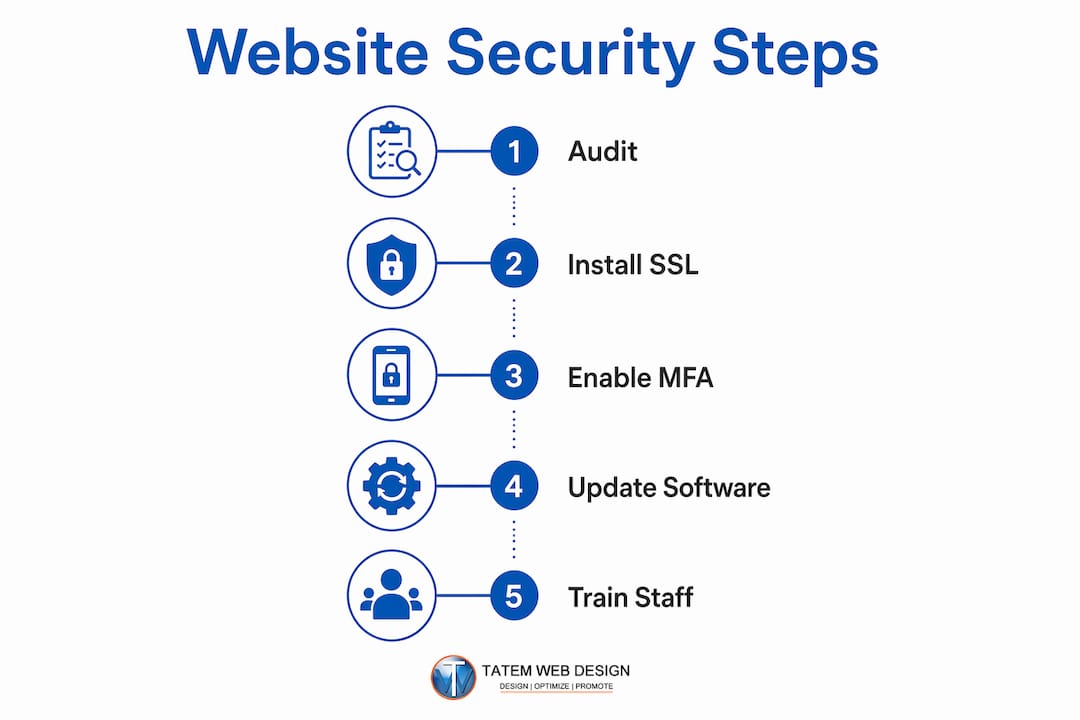
The most common security mistake is treating cybersecurity as a one-time setup rather than an ongoing process. Business owners configure security at launch and then assume it holds indefinitely. Threats evolve, software ages, and new vulnerabilities appear constantly. A site that was secure 12 months ago may have three exploitable gaps today.
Here are the pitfalls that create the most risk for business websites:
-
Ignoring update prompts. Every unpatched plugin, theme, or CMS version is an open door. Attackers scan for known vulnerabilities in outdated software and exploit them automatically. Enable automatic updates and do a manual sweep monthly.
-
Using weak or reused passwords. A single reused password across your hosting account, email, and CMS means one breach compromises everything. A password manager eliminates this risk with almost no added effort.
-
Skipping MFA. Passwords alone are not enough. Without MFA, a stolen credential gives an attacker full access to your admin panel immediately.
-
Neglecting staff accounts. Former employees with active logins are a persistent risk. Audit user accounts after every staff change and revoke access the same day someone leaves.
-
Skipping backup testing. Creating backups is not the same as having a recovery plan. Backups must be verified quarterly to confirm they restore correctly. A backup file that cannot be restored is worthless during a crisis.
-
Overlooking non-traditional devices. Smart TVs, networked printers, and office security cameras connect to the same network as your website management tools. Each one is a potential entry point that most business owners never consider.
Pro Tip: Create a simple monthly security checklist with five items: check for updates, review user accounts, test one backup file, scan for new plugins or software added without your knowledge, and confirm your SSL certificate has not expired. Five tasks, 20 minutes, done.
How can employee training strengthen your website’s security posture?
Employees are the most frequently exploited entry point in any business network. A well-configured website with strong technical controls can still be compromised by a single staff member who clicks a phishing link or uses a weak password. Technical defenses and human awareness must work together.
Short, monthly 15-minute security refreshers on phishing recognition and password hygiene increase employee vigilance far more effectively than a single annual training session. The format matters as much as the content. Brief, frequent sessions keep security top of mind without pulling staff away from their core work for hours at a time.
Effective training content for business teams includes:
- Phishing recognition: Show real examples of phishing emails targeting businesses in your industry. Teach staff to verify sender addresses, hover over links before clicking, and report suspicious messages immediately.
- Password hygiene: Reinforce the 16-character minimum and explain why passphrases work. Walk through how to use a password manager if your team does not already use one.
- Incident reporting: Give every employee a clear, simple process for reporting a suspected breach or suspicious activity. Speed of reporting directly affects how much damage a breach causes.
- Safe browsing habits: Cover the risks of public Wi-Fi, unauthorized software installations, and clicking ads or pop-ups on work devices.
The FCC and CISA offer free checklists, tip sheets, vulnerability scans, and phishing simulations built specifically for small businesses. These resources cost nothing and are written for non-technical audiences. Using them as the basis for your internal training program saves time and ensures your content aligns with current federal guidance. You can find these tools directly on the CISA and FCC websites, and Tatemweb’s cybersecurity training services can help you build a structured program around them.
Key Takeaways
A secure website requires layered technical controls, consistent maintenance routines, and trained staff working together as a unified defense.
| Point | Details |
|---|---|
| Start with an audit | List every device and software account before applying any security controls. |
| Layer your defenses | Combine HTTPS, HSTS, CSP, MFA, and a firewall for protection at every level. |
| Test backups quarterly | A backup you have never tested is not a recovery plan. Verify it restores correctly. |
| Train staff monthly | Short, frequent refreshers on phishing and passwords outperform annual sessions. |
| Treat security as ongoing | Schedule monthly update checks and quarterly reviews as standing calendar appointments. |
What I have learned after 26 years of building secure websites
The business owners who get breached are rarely the ones who ignored security entirely. They are the ones who set it up once, felt confident, and moved on. That pattern shows up constantly, and it is the most expensive mistake in the field.
The uncomfortable truth about website security is that the technical setup is the easy part. Firewalls, SSL certificates, and CSP headers take a few hours to configure correctly. What actually determines your long-term security posture is whether you build recurring habits around maintenance. A WordPress site with a two-year-old plugin running an unpatched vulnerability is more dangerous than a site with no firewall at all, because the owner believes they are protected.
I have also watched business owners skip the free federal resources entirely, assuming they are too generic to be useful. The FCC and CISA tools are genuinely good. The NIST CSF 2.0 framework gives you a structured way to assess your current state and prioritize what to fix first. These are not bureaucratic checklists. They are practical frameworks built by people who study breach patterns for a living.
Start small if the full picture feels like too much. Pick three items from the secure website checklist in this article and complete them this week. MFA on your hosting account, a backup test, and a device audit will take you less than two hours and close your three most common breach vectors immediately. Build from there.
— Matt
How Tatemweb helps Florida businesses build and maintain secure websites

Tatemweb has spent over 26 years building websites for Florida businesses across healthcare, legal, real estate, and professional services. Security is built into every project from the start, not added as an afterthought. The team’s AI security enhancements apply automated threat monitoring, real-time vulnerability scanning, and AI-driven configuration checks that keep your site protected as threats evolve. For business owners who want their staff trained and ready, Tatemweb’s company cybersecurity training program delivers structured, practical sessions built around current CISA and FCC guidance. Call Tatemweb directly at 772-224-8118 to schedule a consultation and find out exactly where your website stands today.
FAQ
What is the most important first step to secure a website?
Enable HTTPS with a valid SSL/TLS certificate and activate multi-factor authentication on every admin account. These two steps close the most common entry points attackers use against small business websites.
How often should I update my website’s software and plugins?
Enable automatic updates and conduct a manual review monthly. Outdated plugins and firmware are among the most frequently exploited vulnerabilities in small business websites.
What does MFA actually do for website security?
Multi-factor authentication blocks up to 99% of automated credential attacks, even when a password has been stolen. It adds a second verification step that attackers cannot bypass with credentials alone.
What is a Content Security Policy and do I need one?
A Content Security Policy is an HTTP header that tells browsers which scripts and resources are allowed to load on your site. It directly prevents cross-site scripting attacks and is recommended by CISA as part of a complete website security setup.
How do I know if my website backups actually work?
Run a full restore drill on a staging environment every quarter. A backup file that has never been tested cannot be trusted to work during an actual ransomware attack or data loss event.
Recommended
Tatem Web Design
26+ YearsWeb Design & SEO Specialist · Tatem Web Design
Matt Tatem has been designing websites professionally since 1999, making Tatem Web Design one of Florida's longest-running web agencies. Based in Stuart, FL, he specializes in WordPress, local SEO, Shopify e-commerce, and cybersecurity consulting for small businesses.

Rank in ChatGPT in 90 Days With a Practitioner Led Checklist
Follow a practitioner led 90 day plan to get cited by ChatGPT: allow OAI-SearchBot, publish short answer capsules with schema, and track Bing AI Performance.

AI SEO Content Playbook: 16 GEO Signals for Agencies & Teams
A practical playbook mapping the GEO-16 signals to hands-on editorial workflows, review controls, and metrics. For agencies and in-house teams scaling AI...

Copy Ready Local Schema Markup for SMBs + Google Validation
Copy ready JSON-LD examples and Google validation steps for SMBs' local schema markup. Audit, implement, and verify each location page with confidence.