
Why Secure Hosting Matters for Business Owners
Secure hosting is a foundational business control that protects your revenue, customer trust, and your ability to recover when something goes wrong. The FTC advises that security should be a top concern when selecting any web host, specifically calling out TLS/HTTPS as the baseline requirement for protecting customer privacy and ensuring visitors reach your real website. If you take nothing else from this article, take this: before signing with any host, require written evidence of TLS provisioning, tested backups, and a documented incident response process.
Why it matters at a glance:
- Uptime and availability: Downtime costs you sales, leads, and search engine visibility.
- Data integrity and recoverability: Isolated, tested backups with defined Recovery Time Objectives (RTO) and Recovery Point Objectives (RPO) are what separate a recoverable incident from a catastrophic one.
- Customer trust and SEO: A site flagged as insecure or repeatedly unavailable loses both visitors and rankings.
- Regulatory alignment: HIPAA, PCI-DSS, and CMMC Level 2 each impose specific hosting-layer controls your provider must document and evidence.
Tatemweb offers managed cloud hosting with automated TLS, backup testing, and compliance consulting for Florida businesses that need all of this handled without building an internal security team.
Table of Contents
- Why is hosting security a business issue, not just a technical one?
- What security features should you require from any hosting provider?
- How does secure hosting support business continuity?
- How do you evaluate and choose a secure hosting provider?
- What does secure hosting cost, and what SLAs should you expect?
- How do you secure an existing site or a new deployment?
- How Tatemweb handles secure hosting and compliance for Florida businesses
- Why data encryption at rest matters in your hosting environment
- Why physical data center security is part of your hosting decision
- What emerging security technologies are changing hosting?
- Key Takeaways
- The part most business owners get wrong about hosting security
- Tatemweb’s managed hosting is built for businesses that cannot afford downtime
- Useful sources and further reading
- FAQ
Why is hosting security a business issue, not just a technical one?
Hosting-layer vulnerabilities are where most attacks begin or escalate. Hacking through unpatched server software, malware injected via compromised credentials, DDoS floods that knock sites offline for hours, and supply-chain compromises through outdated CMS plugins all originate at the infrastructure level. The business consequences compound fast.
Consider a realistic scenario: a small healthcare practice runs a WordPress site on a shared host with no server-level firewall and no automated patching. An attacker exploits a known plugin vulnerability, injects malware, and the site begins redirecting patients to a phishing page. The host detects nothing. Within 48 hours, Google flags the site as dangerous, organic traffic collapses, and the practice faces a potential HIPAA breach notification obligation. Recovery takes weeks and costs far more than a year of managed hosting would have.

The financial exposure is real. Breaches cost small businesses measurably, and attack rates have risen substantially in recent years. Beyond direct costs, the reputational damage from a public compromise can outlast the technical recovery by months. Search engine rankings suffer when a site is repeatedly unavailable or flagged, meaning weak hosting directly erodes your customer acquisition pipeline.
What security features should you require from any hosting provider?
The FTC and SMB security guidance converge on a clear baseline. Here is how to prioritize what you ask for:
Must-have controls (non-negotiable):
- TLS/HTTPS with auto-renewal — Verify: “Show me where TLS certificates are provisioned and confirm auto-renewal is enabled.”
- Automated OS and software patching — Verify: “What is your patch cadence, and can I see the last patch log?”
- Automated, isolated backups — Verify: “Are backups stored separately from production? How often are restores tested?”
- Server-level firewall and WAF — Verify: “Is a Web Application Firewall included, or is it an add-on?”
- Malware scanning and monitoring — Verify: “How often does scanning run, and how are alerts escalated?”
- Access controls with 2FA — Verify: “Do you enforce least-privilege access and multi-factor authentication for admin accounts?”
- DDoS mitigation — Verify: “What is your DDoS response process and detection-to-mitigation timeline?”
- Documented incident response — Verify: “Can I see your incident response SLA and escalation path?”
Nice-to-have (adds meaningful resilience):
- Immutable backup storage
- Geographic backup separation
- Real-time log aggregation and SIEM integration
- Dedicated compliance attestations (SOC 2, PCI AOC)
Quick procurement checklist for vendor calls:
- Written SLA with uptime target and financial remedy
- Patch cadence documented in contract
- Backup policy with restore frequency and test logs
- Incident response SLA with defined escalation contacts
- Compliance evidence (BAA for HIPAA, AOC/ROC for PCI)
- Shared-responsibility matrix in writing
Pro Tip: Ask for the last restore test log before you sign. A host that cannot produce one has never actually verified their backups work.
How does secure hosting support business continuity?
Secure hosting turns continuity planning from theoretical to operational by ensuring critical systems remain available and recoverable during incidents. The connection is direct: your RTO (how fast you must be back online) and RPO (how much data loss is acceptable) are only achievable if your hosting infrastructure supports them.
Here is how to map hosting controls to continuity outcomes:
- Define your RTO and RPO — Work with your host to confirm their detection-to-mitigation timelines align with your acceptable service-degradation window.
- Require backup separation — Backups stored on the same server as production are useless in a ransomware event. Require offsite or cloud-separated storage.
- Require immutable backups — Immutable storage prevents attackers from deleting or encrypting your recovery copies.
- Require geographic separation — A regional outage (hurricane, data center fire) should not take down both your live site and your backups.
- Require documented restore procedures — A written playbook, not just a verbal assurance, should govern how and when restores are executed.
- Schedule restore testing — Quarterly at minimum. Require test logs as a contractual deliverable.
A practical illustration: a law firm experiences a ransomware attack on a Friday afternoon. Because their managed host maintains daily immutable backups with geographic separation and a tested restore playbook, the firm is back online by Saturday morning with less than 24 hours of data loss. Without those controls, the same firm could face weeks of downtime and potential bar association reporting obligations. For more on how network and hosting choices affect continuity, business continuity network solutions are worth reviewing as a complementary framework.
The FTC’s guidance on TLS connects here too: when customers submit sensitive data through your site, encryption in transit is what keeps that data protected during the moments it is most vulnerable.

How do you evaluate and choose a secure hosting provider?
The right question is not “Do you have security?” It is “Can you prove it?” Compliance frameworks like HIPAA, PCI-DSS, and CMMC each require specific evidence and contractual commitments from your host, not just marketing claims.
Procurement questions that separate real providers from vendors with good brochures:
- “What is your documented uptime SLA, and what is the financial remedy for breach?”
- “Can you provide a shared-responsibility matrix showing what you cover versus what we own?”
- “Will you sign a Business Associate Agreement (BAA) if we handle protected health information?”
- “What third-party audits or attestations do you hold (SOC 2, PCI AOC, FedRAMP)?”
- “How do you notify customers of a security incident, and what is your response SLA?”
Red flags that should end the conversation:
- Vague answers about backup frequency or restore testing (“we back up regularly”)
- No documented SLA or unwillingness to put uptime commitments in writing
- Refusal to sign a BAA for healthcare clients
- No evidence of patching cadence or monitoring logs
- Inability to describe their incident response escalation path
Mapping SLA to business impact is straightforward: if your site generates $5,000 per day in revenue and your host’s SLA allows 99% uptime (roughly 87 hours of downtime per year), you need to decide whether that exposure is acceptable before you sign, not after an outage.
For businesses evaluating outsourced technical providers, guidance on managed network services providers offers a useful parallel framework for vetting vendor accountability.
What does secure hosting cost, and what SLAs should you expect?
Hosting pricing generally follows four tiers, each with different security trade-offs:
- Shared hosting ($5–$30/month): Resources shared across many sites. Limited isolation, minimal security controls, and typically no WAF or dedicated monitoring. Acceptable only for low-risk, low-traffic informational sites.
- VPS or managed VPS ($30–$150/month): Dedicated virtual resources with better isolation. Managed VPS plans often include automated patching, basic firewalls, and backups. A reasonable starting point for most small businesses.
- Dedicated or managed dedicated ($150–$500+/month): Full server isolation, customizable security configurations, and typically stronger SLAs. Suited for businesses with compliance obligations or high transaction volumes.
- Cloud-managed hosting ($100–$500+/month): Scalable, with geographic redundancy and enterprise-grade security options. The strongest continuity profile for most regulated businesses.
SLA expectations vary by tier. Shared hosts often advertise 99.9% uptime (about 8.7 hours of downtime per year). Managed and cloud-managed providers frequently offer 99.95%–99.99% uptime with defined response windows. Read the fine print: many SLAs exclude scheduled maintenance, DDoS events, or third-party failures from their uptime calculations.
The cost-versus-risk math is not complicated. Breaches cost small businesses measurably in recovery, legal exposure, and lost revenue. A managed hosting plan at $200/month is a straightforward investment when the alternative is an uncontrolled incident that takes your site offline for days.
How do you secure an existing site or a new deployment?
For existing sites, work through this sequence before addressing anything else:
- Audit your current hosting controls — Request a written summary of what your host provides versus what you must configure yourself.
- Enable HTTPS/TLS — Confirm auto-renewal is active. Check your certificate expiry date today.
- Enable 2FA and least-privilege access — Remove unused admin accounts. Require multi-factor authentication for every privileged login.
- Enable automatic backups with offsite retention — Confirm backups are stored separately from production and that retention meets your RPO.
- Enable server-level firewall and malware scanning — If your host does not include a WAF, add one at the application layer.
- Schedule restore testing and monitoring — Set a calendar reminder for quarterly restore tests. Require your host to provide logs.
For new deployments, start with secure-by-default settings: hardened server images, automated patching enabled from day one, segmented environments for staging and production, and access controls configured before any content goes live.
Pro Tip: Make restore testability an auditable contract requirement, not a verbal promise. If your host cannot show you a restore log from the past 90 days, treat that as a gap.
The website security checklist for SMBs from Tatemweb walks through each of these steps in detail if you want a task-by-task reference.
How Tatemweb handles secure hosting and compliance for Florida businesses
Tatemweb’s managed hosting offering covers the full stack of controls described in this article: automated TLS provisioning, server-level firewalls, malware scanning, automated backups with restore testing, and AI-driven security monitoring. For regulated industries, Tatemweb provides compliance consulting across HIPAA, PCI-DSS, and CMMC Level 2, including Business Associate Agreement support and shared-responsibility documentation.
Services relevant to secure hosting:
- Managed cloud hosting with automated TLS and patching
- Backup and restore testing with documented logs
- Incident response support and escalation paths
- AI security enhancements and continuous monitoring
- HIPAA, PCI, and CMMC Level 2 compliance consulting
- WordPress, Joomla, and Drupal hardening for CMS-based sites
One example from Tatemweb’s portfolio: a State Attorney General office required a publicly accessible site with strict availability requirements and documented security controls. Tatemweb delivered a hardened deployment with verified backup separation, monitored uptime, and compliance-aligned configurations, giving the client auditable evidence of their hosting security posture.
For readers who want to explore what a managed hosting engagement looks like, the secure website hosting guide from Tatemweb is a practical starting point.
Why data encryption at rest matters in your hosting environment
Encryption in transit (TLS) protects data as it moves between your visitors and your server. Encryption at rest protects data while it sits on disk, in databases, and in backup files. Both are required for a complete security posture, and secure server configurations address both layers.
For businesses handling payment card data, protected health information, or personally identifiable information, encryption at rest is not optional. PCI-DSS requires it for cardholder data. HIPAA requires it for electronic protected health information. CMMC Level 2 requires it for controlled unclassified information. Ask your host specifically which storage volumes are encrypted, what key management process they use, and whether backup files are encrypted with the same standard as production data. A host that encrypts your live database but stores unencrypted backup files has left a significant gap.
Why physical data center security is part of your hosting decision
The physical security of the data center where your site lives is a direct extension of your own security posture. A server in a facility with weak physical access controls is vulnerable regardless of how well the software layer is configured.
When evaluating hosts, ask about the data center’s physical security controls: biometric or badge access, 24/7 on-site security personnel, surveillance systems, and environmental controls (fire suppression, redundant power, climate management). For regulated industries, SOC 2 Type II audits cover physical security as part of their scope, making a host’s SOC 2 attestation one of the most efficient ways to verify these controls without conducting your own site visit. Geographic redundancy matters here too: a host with a single data center location carries concentration risk that a multi-region deployment eliminates.
What emerging security technologies are changing hosting?
Two developments are reshaping how hosting providers approach security: zero trust architecture and AI-based threat detection.
Zero trust replaces the traditional assumption that anything inside a network perimeter is safe. Under a zero trust model, every access request is verified regardless of origin, every user and device is authenticated continuously, and lateral movement within a compromised environment is blocked by default. For hosting environments, this means segmented networks, identity-verified access to every administrative function, and no implicit trust for internal traffic. Cloud compliance research confirms that zero trust, combined with identity and access management, is now a foundational element of multi-framework compliance for SMBs operating under HIPAA, PCI-DSS, and CMMC simultaneously.
AI-based threat detection adds a layer that static rule sets cannot match. Machine learning models trained on network behavior can identify anomalous patterns, flag credential stuffing attempts, and detect malware signatures faster than signature-based scanners. Tatemweb’s AI security enhancements apply this approach to managed hosting environments, giving Florida businesses continuous monitoring that adapts as threat patterns evolve.
Key Takeaways
Secure hosting is not a feature upgrade. It is the infrastructure layer that determines whether your business can survive and recover from a cyber incident.
| Point | Details |
|---|---|
| TLS is the baseline | Require auto-renewing TLS/HTTPS on every site; the FTC identifies it as the minimum for customer protection. |
| Tested backups beat stored backups | Backups separated from production and tested quarterly are what make RTO/RPO targets achievable. |
| SLA fine print defines real risk | Read uptime SLA exclusions; map the allowed downtime to your daily revenue exposure before signing. |
| Compliance requires evidence, not claims | HIPAA, PCI-DSS, and CMMC each require written documentation, BAAs, and audit logs from your host. |
| Tatemweb delivers managed security | Tatemweb provides managed cloud hosting, compliance consulting, and AI-driven security monitoring for Florida businesses. |
The part most business owners get wrong about hosting security
Most business owners treat hosting security as a one-time decision made at sign-up. They pick a plan, check the “SSL included” box, and move on. The problem is that hosting security is an ongoing operational discipline, not a configuration you set once and forget.
The businesses that recover fastest from incidents are not necessarily the ones with the most expensive hosting plans. They are the ones that have tested their restores in the past 90 days, know exactly who to call when something goes wrong, and have a written incident response process they have actually read. That gap between “we have backups” and “we have tested, documented, recoverable backups” is where most small business continuity plans quietly fail.
The other thing worth saying plainly: the shared-responsibility model in cloud and managed hosting means your host covers the infrastructure layer, but you own the application layer. Outdated plugins, weak admin passwords, and unpatched CMS installations are your responsibility, not your host’s. Secure hosting gives you a strong foundation. What you build on top of it still matters.
For Florida businesses that want both layers handled by a single partner, Tatemweb’s approach to building secure websites covers both the hosting infrastructure and the application-level controls that sit above it.
Tatemweb’s managed hosting is built for businesses that cannot afford downtime
If you have read this far, you already know what to ask for. The harder question is whether you have the internal capacity to verify, test, and maintain those controls on an ongoing basis. That is exactly where Tatemweb’s managed hosting and AI cybersecurity services close the gap for Florida businesses.

Tatemweb handles automated TLS, server-level firewalls, malware scanning, backup testing, and compliance documentation, so your team is not chasing patch logs or restore records when you should be running your business. For healthcare practices, legal firms, and ecommerce operators, Tatemweb also provides HIPAA, PCI, and CMMC Level 2 compliance consulting as part of the same engagement. Pricing scales with your site’s complexity and compliance requirements. The right starting point is a discovery call where Tatemweb audits your current hosting controls and identifies the gaps. Call 772-224-8118 or visit the website hosting services page to schedule your audit.
Useful sources and further reading
The sources below informed this article and are worth bookmarking for your own vendor evaluations and compliance research.
| Source | What it covers |
|---|---|
| FTC — Hiring a Web Host | FTC guidance on TLS, patching, and procurement questions for small businesses |
| CM-Alliance — Secure Hosting and Business Continuity | Maps hosting controls to RTO/RPO, backup separation, and continuity outcomes |
| The SMB Hub — Small Business Website Security | Non-technical baseline checklist for small business hosting security |
| Xecunet — HIPAA, PCI, and DIACAP for Hosting | Explains compliance evidence requirements (BAA, AOC/ROC) for regulated hosting |
| ManageEngine — Secure Server Configurations | Technical reference for server-level security and encryption |
| Cyfuture Cloud — Four Types of Hosting | Definitions and security trade-offs across shared, VPS, dedicated, and cloud hosting |
| Tatemweb — Benefits of Professional Web Hosting | Checklist-oriented guide to baseline hosting features for business owners |
| Tatemweb — Website Hosting Services | Tatemweb’s managed hosting service page with offering details |
FAQ
Why is hosting security important for my business?
Weak hosting exposes your site to hacking, malware, and downtime that directly cost you revenue, customer trust, and search engine rankings. The FTC identifies TLS/HTTPS and up-to-date patching as the minimum controls every business should require from their host.
What are the main benefits of using a secure hosting provider?
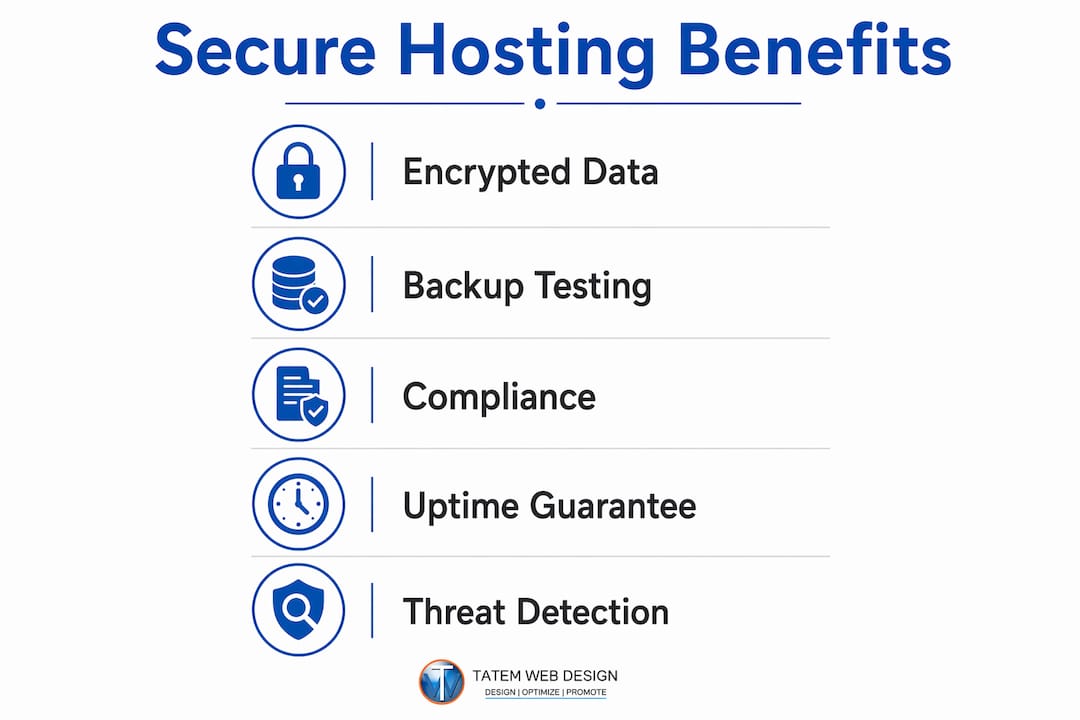
A secure host gives you verified uptime, encrypted data in transit and at rest, tested backup recovery, and the compliance documentation regulated industries require. These controls together protect your revenue and your ability to recover from incidents quickly.
What are the four types of web hosting?
The four common types are shared, VPS (virtual private server), dedicated, and cloud hosting. They differ in resource isolation, security control depth, and cost, with cloud and dedicated options offering the strongest continuity and compliance profiles for regulated businesses.
How do I know if my current host is actually secure?
Ask for the last patch log, the last restore test record, and a copy of their incident response SLA. If your host cannot produce all three, you have gaps. Tatemweb offers hosting audits that identify exactly where those gaps are for Florida businesses.
Does secure hosting help with HIPAA or PCI compliance?
Yes, but your host covers only the infrastructure layer. HIPAA requires a signed Business Associate Agreement from your host, and PCI-DSS requires evidence of encryption and access controls. You remain responsible for application-layer configurations on top of what your host provides.
Recommended
Tatem Web Design
26+ YearsWeb Design & SEO Specialist · Tatem Web Design
Matt Tatem has been designing websites professionally since 1999, making Tatem Web Design one of Florida's longest-running web agencies. Based in Stuart, FL, he specializes in WordPress, local SEO, Shopify e-commerce, and cybersecurity consulting for small businesses.

CMMC Level 2 vs Level 1: Which One Applies to You?
CMMC Level 1 vs Level 2 compared: data types, 15 vs 110 requirements, self-assessment vs third-party audits, POA&M rules and how to pick your level.

Phishing Awareness Training for Small Business: A Practical Guide
How to build phishing awareness training for a small business: what to teach, how to run simulations, which numbers to track, and what to pair it with.

AI Content Pricing: What Florida Businesses Really Pay in 2026
What AI content costs in 2026: per-post ranges, tool subscriptions, editing time and agency retainers, plus how to budget and avoid hidden costs.